Sell CS2 / CS:GO Skins For PayPal and Cash Out Your Inventory

If you want to sell CS2 skins for PayPal, you most likely just want to move money from your Steam inventory to your PayPal balance. Maybe you stopped playing as much, maybe you have skins you do not use anymore, or maybe you simply want to cash out instead of keeping funds on Steam.


SellYourSkins lets you sell CS2 and CS:GO skins for PayPal in a direct way. You pick the skins from your inventory, check the offer, accept the trade, and get paid to your PayPal account after the trade is completed.


It is a good option when you do not want to list every item on a marketplace, wait for another player to buy it, or deal with random trade offers. You can turn your CS2 skins into PayPal funds and keep control over what you do with the money next.

Why Sell CS2 / CS:GO Skins For PayPal?

Because PayPal is one of the most popular ways to cash out CS2 and CS:GO skins. It is simple, fast, and easy to use. Many players already have a PayPal account, so the payout does not feel complicated. You sell your skins, receive money, and decide what to do with it next.


For a lot of players, this is much better than keeping funds locked on Steam. PayPal gives you more freedom than Steam balance, especially if you want to use the money outside games.

Use Your Money Outside Steam Wallet

Steam balance is useful if you want to buy more games, cases, or skins. But you cannot withdraw it to your bank or PayPal account. That is why many players choose to sell CS2 skins for PayPal instead.


After the payout, your money is no longer stuck in your Steam wallet. You can keep it on PayPal, send it to your bank, pay for something online, or use it however you want.

A Popular Cashout Method Among Players

PayPal is well known, and many CS2 players already use it for online payments. That makes it a comfortable choice when you want to cash out skins without learning a new payment method.


You do not need to deal with crypto wallets or payment options you have never used before. For many players, PayPal is simply the easiest way to turn CS2 skins into money they can actually spend.

Good For Skins You Do Not Use Anymore

Most players have CS2 skins sitting in their inventory that they no longer play with. Maybe the price changed, maybe your taste changed, or maybe you just want to cash out and move on.


Selling CS2 skins for PayPal is a practical way to get something back from items you do not use. Instead of leaving them in your inventory for months, you can sell them and receive a PayPal payout.

Selling CS2 Skins For PayPal On SellYourSkins

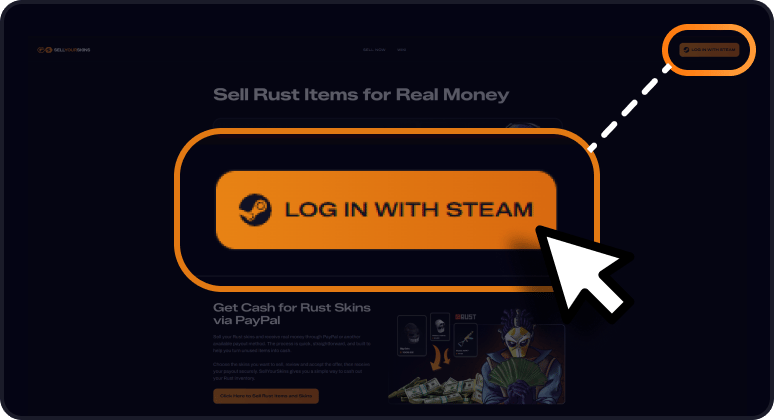
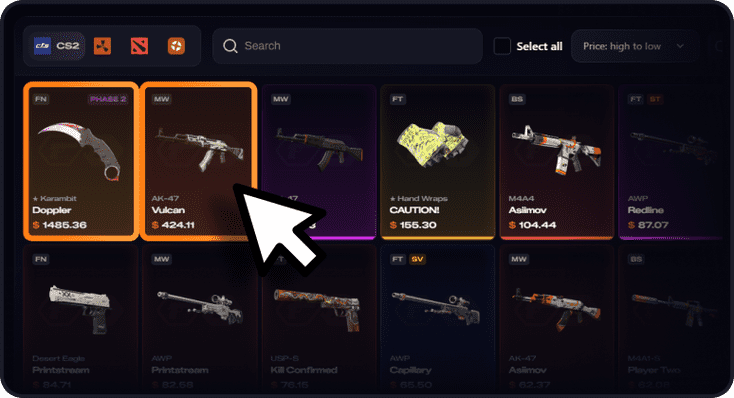
Selling CS2 skins for PayPal on SellYourSkins is made to feel close to a normal Steam trade. You sign in with Steam, choose the CS2 or CS:GO skins you want to sell, check the offer, and accept the trade when everything looks good. After the trade is completed, your payout is sent to PayPal.


The main difference is what happens after the trade. Instead of getting Steam balance or waiting for another player to buy your item, you get money through PayPal. That is why many players use this method when they want to cash out their inventory and use the money outside Steam. It keeps the process simple: pick your skins, confirm the offer, complete the trade, and receive your PayPal payout.

Can I sell CS2 skins for PayPal?

Yes. On SellYourSkins, you can sell CS2 / CS:GO skins and receive your payout through PayPal. You choose the skins from your Steam inventory, check the offer, complete the trade, and get paid to your PayPal account.

How do I sell CS2 skins for PayPal?

To sell CS2 skins for PayPal, sign in with Steam, select the skins you want to sell, choose PayPal as your payout method, and confirm the trade offer. After the trade is completed, the payout is sent to your PayPal account.

Can I sell CS:GO skins for PayPal too?

Yes. CS:GO skins moved into CS2, so you can sell CS:GO skins the same way you sell CS2 skins. If the item is tradable in your Steam inventory, you can check its offer on SellYourSkins.

Do I need to wait for a buyer to sell CS2 skins for PayPal?

No. You do not need to list your skin and wait for another player to buy it. SellYourSkins gives you an automatic offer for your selected skins, so you can accept it and cash out directly.

Can I withdraw Steam balance to PayPal?

Steam does not let you withdraw Steam wallet funds to PayPal. If you want PayPal money, you need to sell your CS2 skins through a cashout platform instead of selling them on the Steam Market.

How fast is the PayPal payout for CS2 skins?

PayPal payouts for CS2 skins are sent right after the Steam trade protection period ends. For CS2 items, this protection lasts 7 days after the trade is accepted. Once the 7 days pass and the trade is fully completed, your money is released to your PayPal account.

What CS2 skins can I sell for PayPal?

You can sell tradable CS2 skins from your Steam inventory, including weapon skins, knives, gloves, and other marketable items. If an item has a Steam trade lock or cannot be traded, you need to wait until it becomes tradable.

Is selling CS2 skins for PayPal better than Steam Market?

It depends on what you want. The Steam Market is fine if you want Steam balance for games or more skins. PayPal is better if you want money outside Steam and do not want your funds locked in your Steam wallet.

Do I need a Steam Trade URL to sell CS2 skins for PayPal?

Yes, your Steam Trade URL is needed to receive and complete the trade offer. You can find it in your Steam inventory settings. Make sure your inventory is public, otherwise the platform may not be able to read your items.

Is PayPal a good option for selling CS2 skins?

Yes. PayPal is a good option if you want to cash out CS2 skins and use the money outside Steam. Steam balance can only be used on Steam, while PayPal gives you more freedom after the payout is completed.